How to pay with Apple Pay?
In stores
- Double click the side button of iPhone or Apple Watch to activate your device for payment. Hold iPhone or Apple Watch close to the POS terminal. Once the checkmark appears on your device the transaction is complete.
- Settings and payment limits of your ordinary card are also applied to the card’s digital version in Apple Pay. The only exception is that there is no contactless payment limit set for your card’s digital version in the Apple Pay.
- Use Apple Pay wherever you see one of these symbols
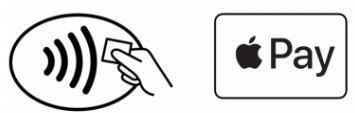
In apps or online
- On your Safari browser – select Apple Pay as the payment method at checkout.
- Settings and payment limits of your ordinary card are also applied to the card’s digital version in Apple Pay.
- Using Apple Pay in apps and online is convenient, as it allows you to skip creating an account or filling in lengthy application forms.
No extra charges are applied for Apple Pay transactions. Enjoy all the benefits of your payment card with Apple Pay on iPhone, Apple Watch, iPad, and Mac.
Frequently asked questions
- ↑↓How to add a card using Apple Wallet?
Adding your card to Apple Pay is simple. Here’s how to get started.
- On iPhone, open the Wallet app and tap the “+” sign.
- For Apple Watch, open the Apple Watch app on your iPhone and select “Wallet & Apple Pay,” then tap “Add Credit or Debit Card.”
- On iPad, go to Settings, open “Wallet & Apple Pay,” and select “Add Credit or Debit Card.”
- On MacBook Pro with Touch ID, go to System Preferences, select “Wallet & Apple Pay,” then select “Add Credit or Debit Card.”
- ↑↓How safe is it to use Apple Pay?
Apple Pay is more secure, than using physical cards. Face ID, Touch ID or your passcode is used for purchases on iPhone, Apple Watch, Mac or iPad.
Apple does not have access to your card number. Neither Apple nor your device will send your card number to the merchant you are shopping with when you pay in stores.
When you pay online or in apps, the shop only receives information that you provide to complete the order.
- ↑↓What happens if my iPhone is lost or stolen?
Clients can suspend or delete the cards through iCloud, or by contacting personal manager at the bank, or by calling Customer Service at +371 67025555 on business days from 9.00 a.m. to 6.00 p.m.
There will be fee applied for the service, according to the bank’s tariffs available on the website.
- ↑↓From what age can I start using Apple Pay?
Apple Pay is disabled on iPads used for education and for children under 13 years old on a family iCloud account.